
AutoHound BSMS product tour
See what AutoHound catches, moves, and closes.
Follow the work from the owner’s morning Digest to the final handoff. Each screen answers a shop question and opens the repair order behind it.
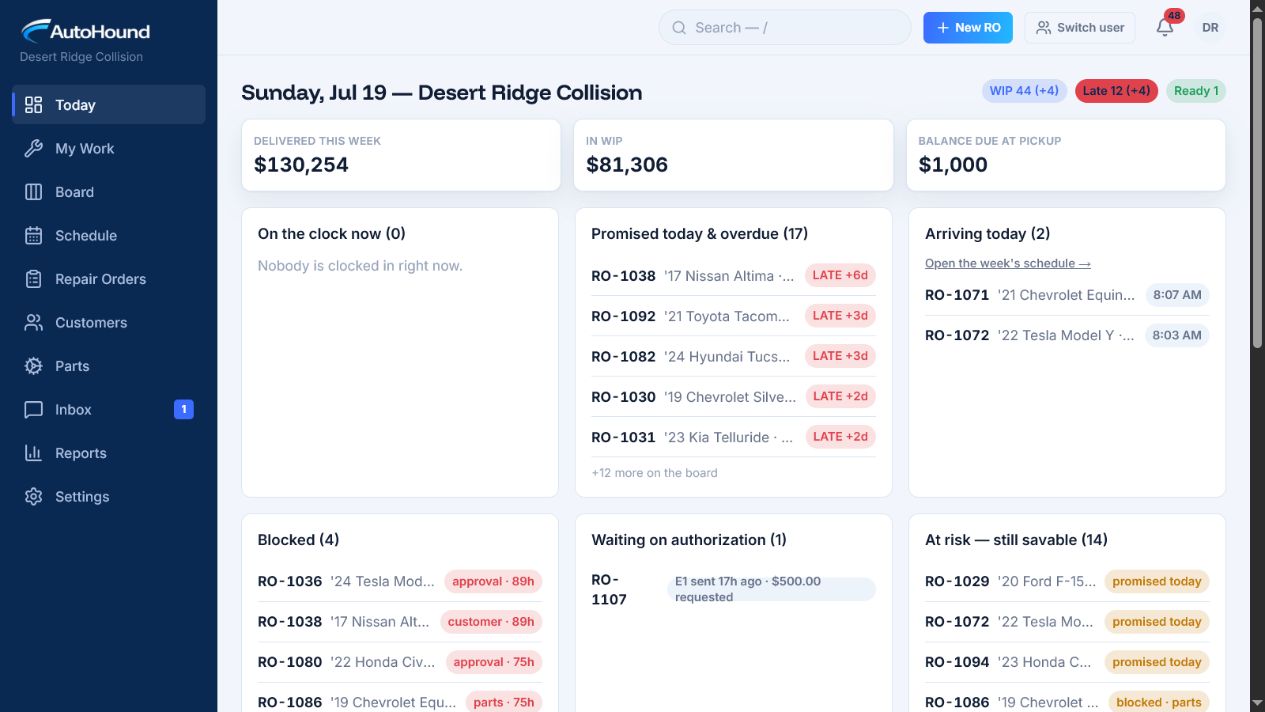
AutoHound Today — live product screenshot.
Why AutoHound is different
Built into the product. Not bolted on later.
Eight differences you can see in the product and in the way the shop works.
| Decision | Typical setup | AutoHound |
|---|---|---|
| Morning control | The owner assembles reports and hunts for exceptions. | Today ranks the risk; the Daily Digest sends the morning brief before the doors open. |
| Total-loss workflow | A status, note, or improvised side process. | A built-in storage clock, insurer follow-up, fees, release checklist, and closeout. |
| Financial access | A preference hides dollar columns. | Money-blind roles never receive financial data from the server. |
| Shared devices | A shared password or generic account erases who did the work. | Each teammate switches in with a personal PIN; permissions and activity follow the user. |
| Estimate handoff | The shop rekeys data or chases files. | Estimates import automatically |
| Parts control | Parts are chased one repair order at a time. | Shop-wide Needed, Ordered, Backordered, and Problems queues surface ETAs and blockers. |
| Capacity planning | Bookings fill calendar slots without labor-hour context. | Daily capacity is booked against labor hours from the latest estimate, with early overload warnings. |
| Data ownership | Getting the records out can require a vendor request. | Your data is yours. Export it at any time. |
01 — Command / Today
Start with the exceptions.
AutoHound ranks overdue repairs, promise risk, waiting authorization, blockers, parts due, unread customer replies, ready vehicles, and assigned work. Open any item to see the job and who owns the next move.
Read the same priorities before the first coffee.
The Daily Digest leads with what changed, what needs attention, and what affects cash. Owners receive the answer without assembling it from reports.
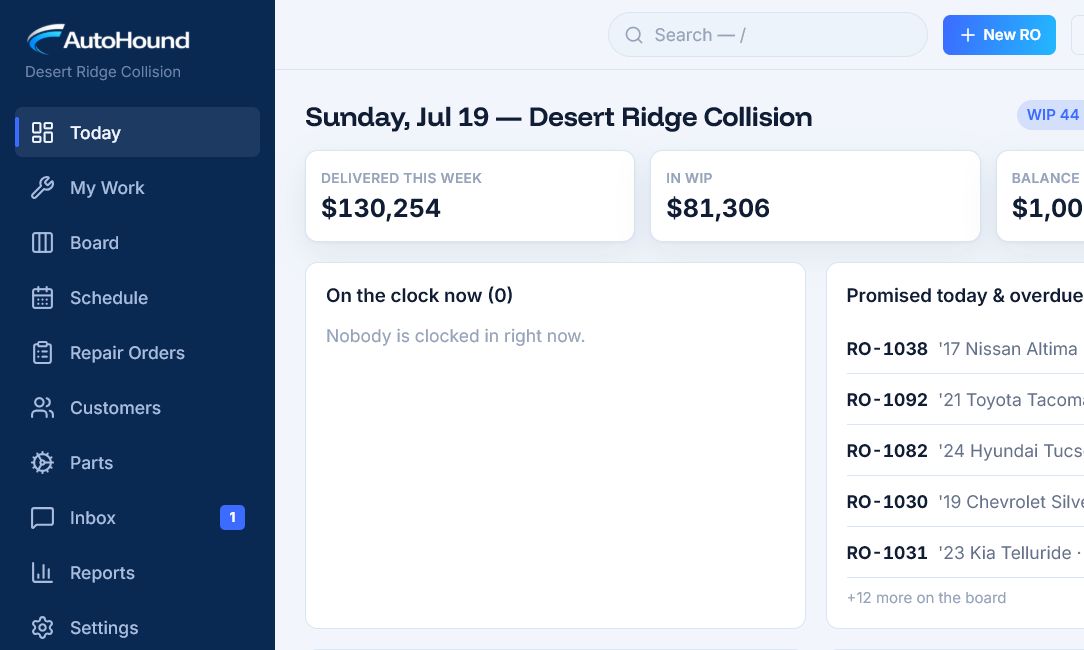
Today ranks the exceptions that can change the day.
02 — Capacity and movement
Book the hours the floor can absorb.
Set bookable hours for each weekday. AutoHound weights bookings from the latest estimate, warns when a day reaches 85%, marks over-capacity days, and keeps unscheduled repair orders in view.
Move the car. Keep the reason.
Every stage move is timestamped and attributed. Role rules control who can move work through intake, production, and handoff. Backward moves feed the process report.
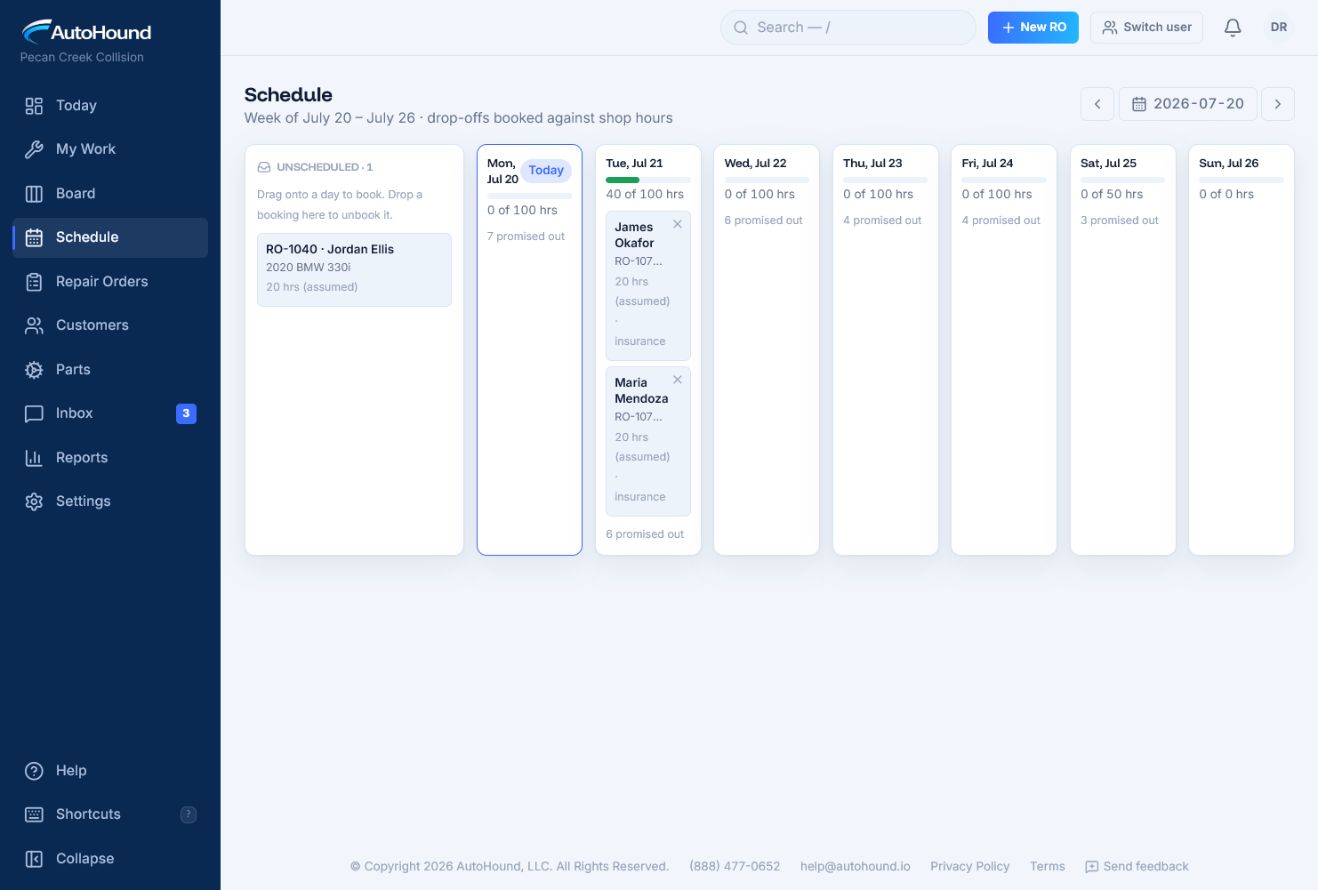
Capacity schedules repair work against bookable labor hours.
03 — Parts
Chase the blockers across the shop.
Needed, Ordered, Backordered, and Problems queues combine parts from every repair order. See vendor, ETA, due status, received progress, and the jobs that cannot move. Bulk updates keep the queue current without opening every RO.
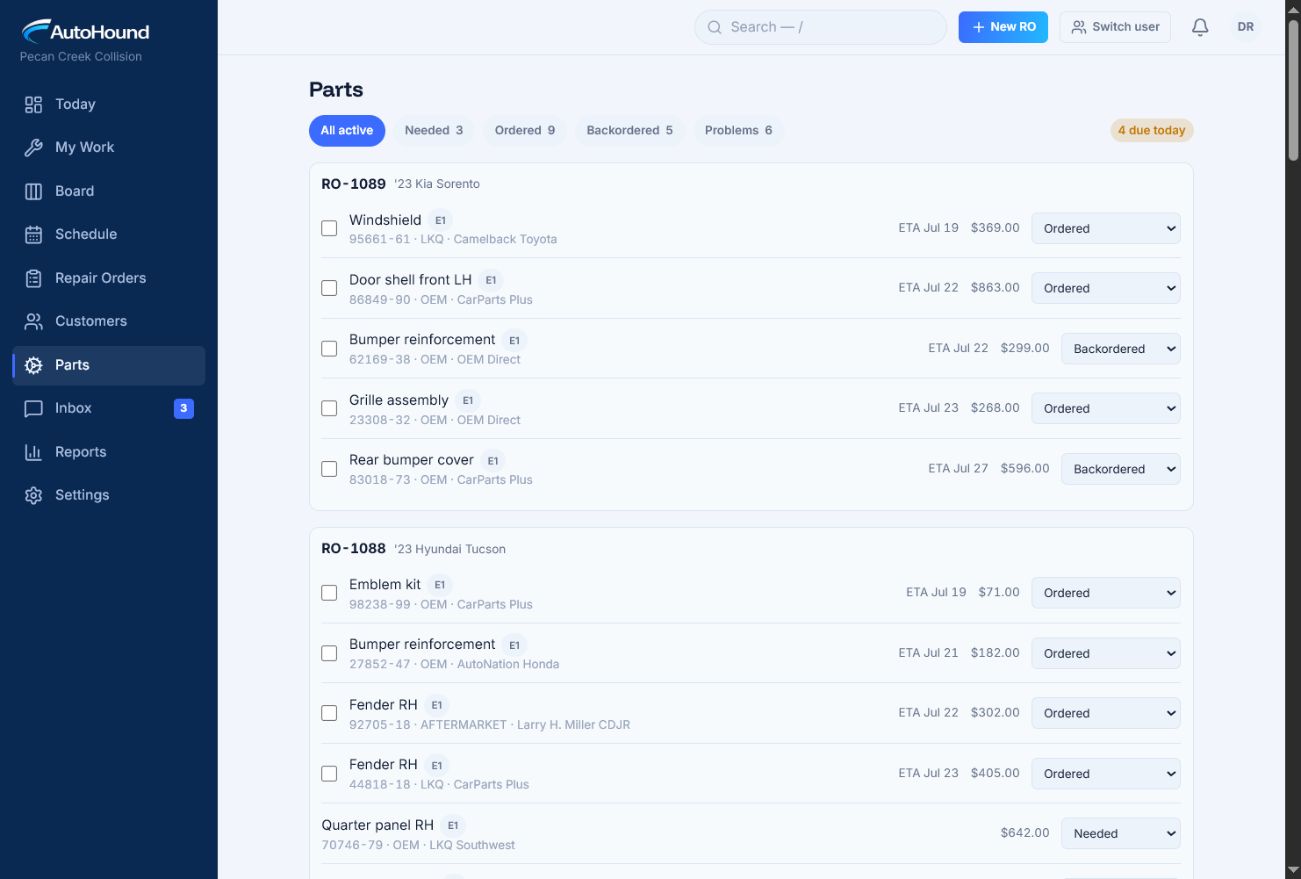
Shop-wide parts queues surface the items blocking repair orders.
04 — Total loss
Stop treating total loss like a void.
A total loss keeps its own status, determination, insurer authorization, salvage handoff, owner release, fees, and storage clock. AutoHound flags insurer silence and storage thresholds. The release checklist must be complete before close.
- Move from suspected to confirmed without losing the record.
- Recalculate storage fees from billable days.
- Generate the release document from the repair order.
- Report total-loss revenue separately from repair revenue.
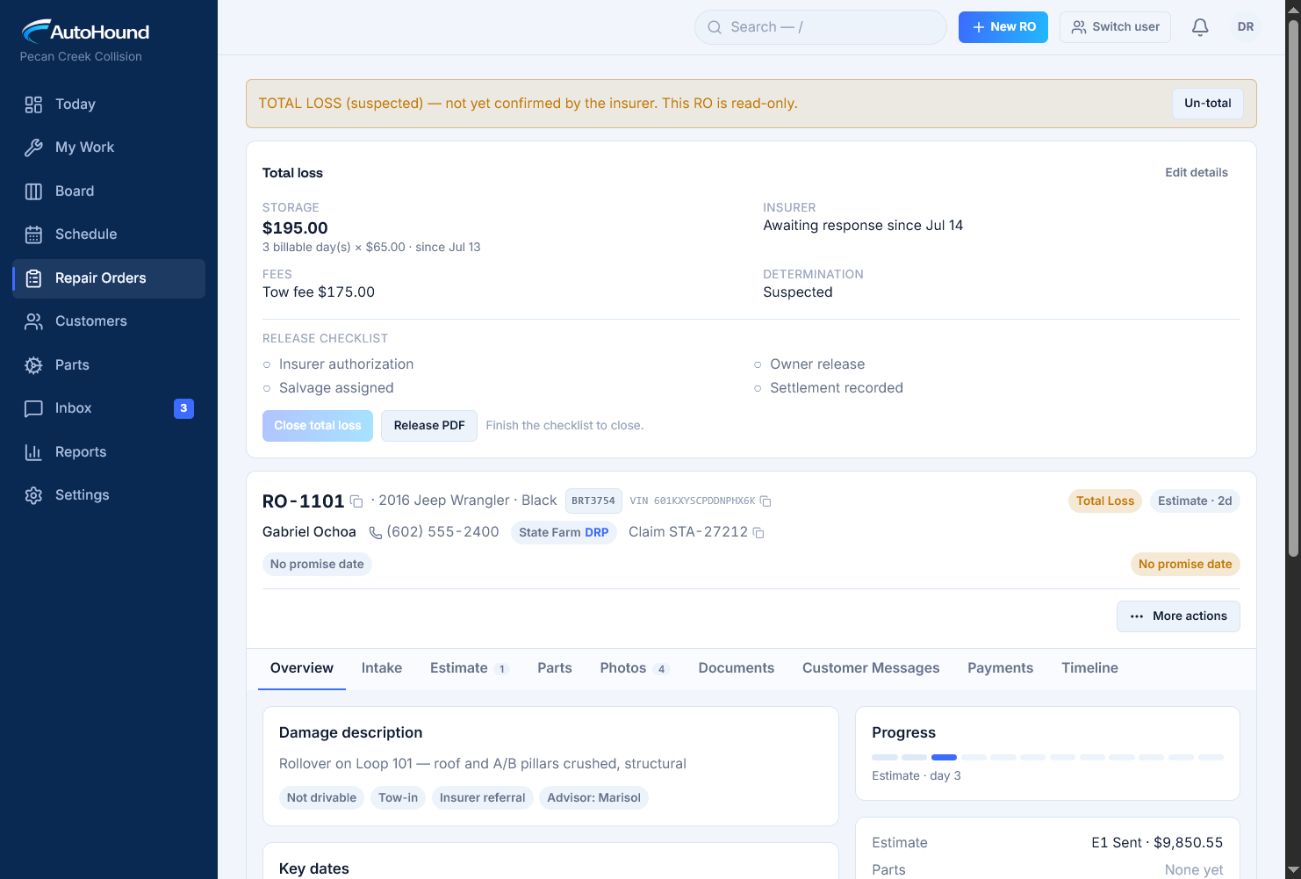
Total loss keeps storage time, fees, insurer status, and release steps together.
05 — Customer messaging and Spanish
Send the update. Keep the reply with the RO.
Send consent-aware milestone texts from the repair order. Replies return to the same thread. Quiet hours, STOP and START, delivery status, and the full message history stay attached.
Work in the customer’s language.
Shop users can work in Spanish. Customer updates can go out in Spanish. Both languages stay on the same repair record.
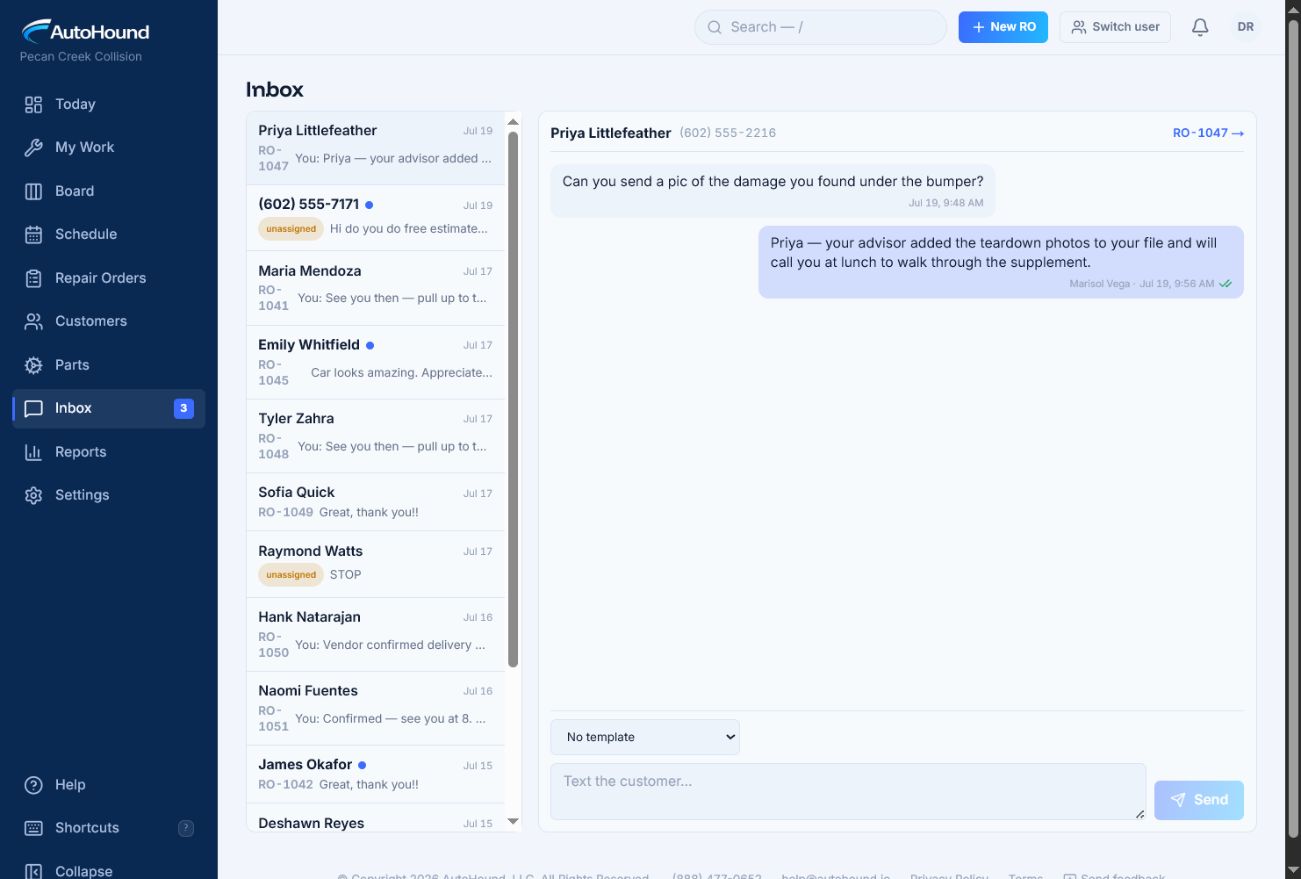
Customer questions, shop replies, templates, and delivery status stay in one inbox.
06 — Access and history
Keep money out of money-blind roles.
Technicians and other money-blind roles never receive estimate totals, balances, parts costs, or payment data. Permission-filtered search and timelines keep those numbers out at the source.
Make every handoff traceable.
The append-only audit trail records edits, moves, assignments, estimate versions, parts events, photos, messages, payments, notes, and overrides. Per-shop data isolation keeps each location’s repair orders, search, reports, exports, and background work separate.
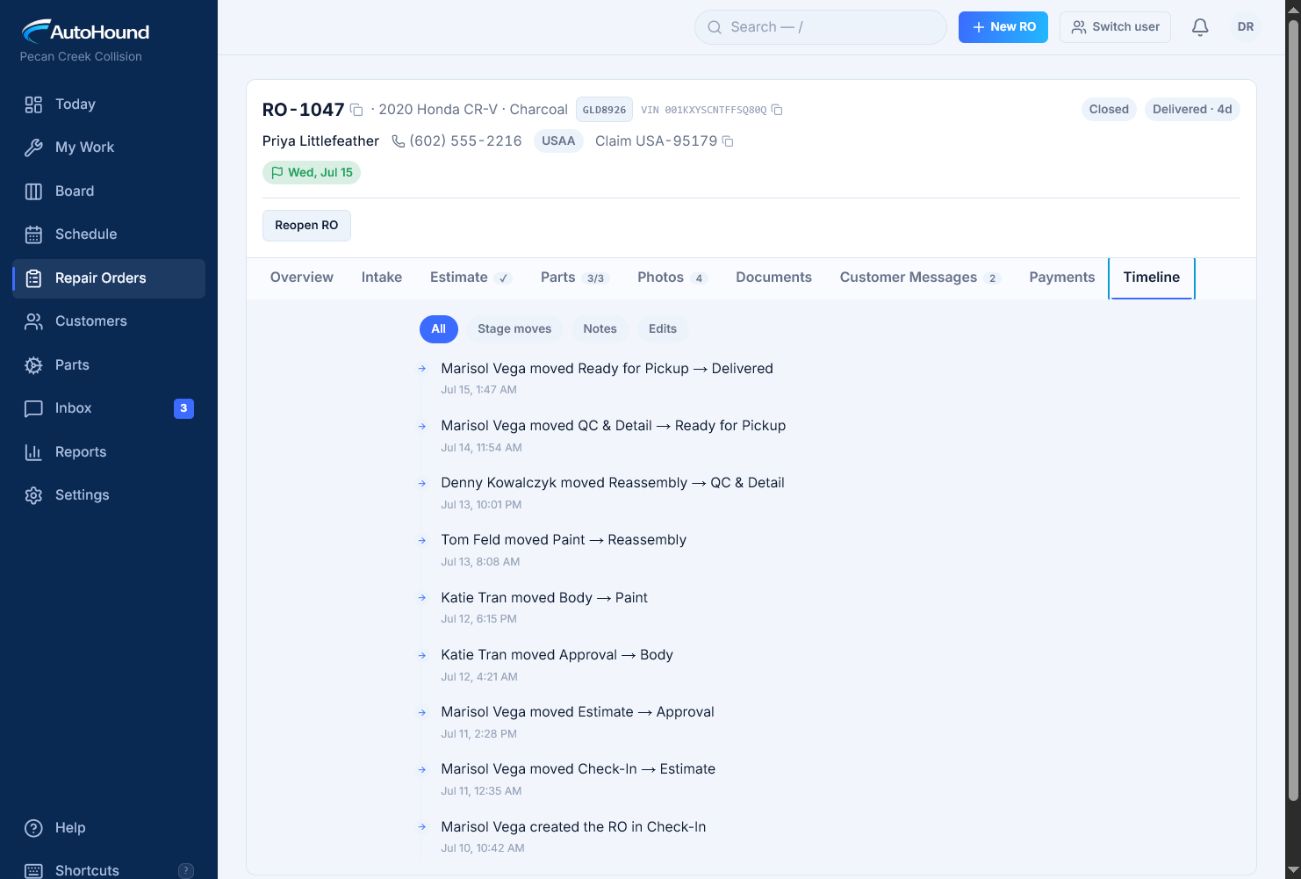
The repair-order timeline records each move, who made it, and when.
07 — Shared shop devices
Switch users fast. Keep every action attributable.
Set up a front-desk iPad, parts-counter computer, or shop-floor tablet as a shared device. Each teammate taps their profile and enters a personal PIN. Permissions follow the person, and activity stays tied to the teammate doing the work.
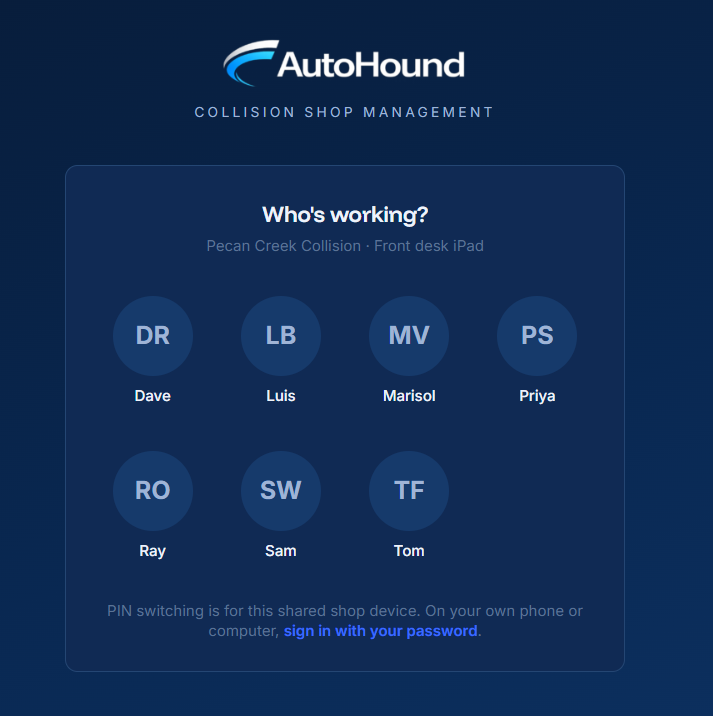
Personal PIN switching keeps shared devices fast without a shared account.
08 — Connected handoffs
Stop retyping work the shop already did.
Estimates import automatically, including approved versions and parts. Sync customers, invoices, and recorded payments with QuickBooks Online on demand or on a schedule.
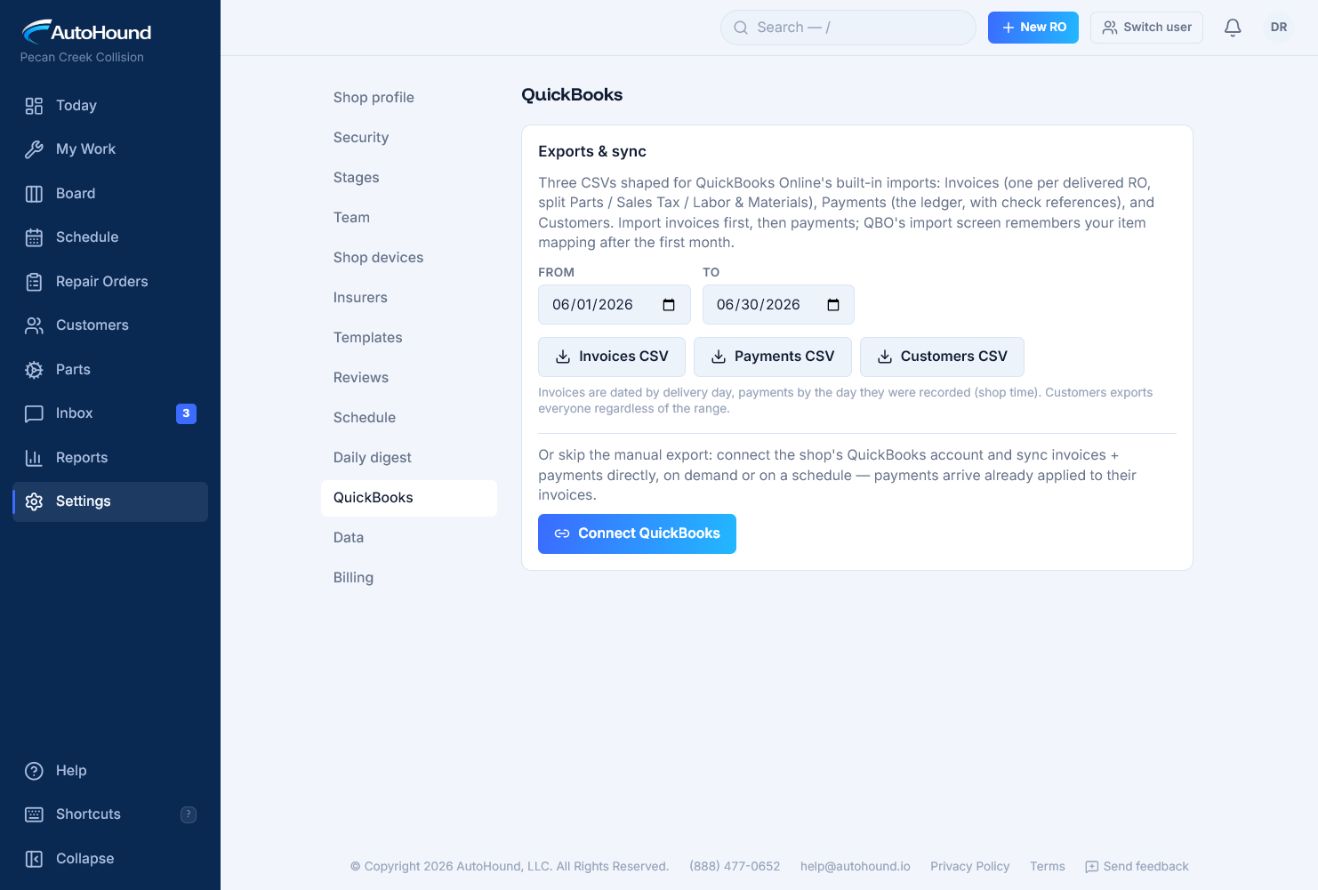
Export QuickBooks-ready records or connect the shop for direct sync.
09 — Your data
No lock-in. Take your records with you.
Download one file with your customers, vehicles, repair orders, estimates, parts, payments, messages, and full audit trail. Export the audit trail separately as a spreadsheet-ready CSV. Your data stays yours.
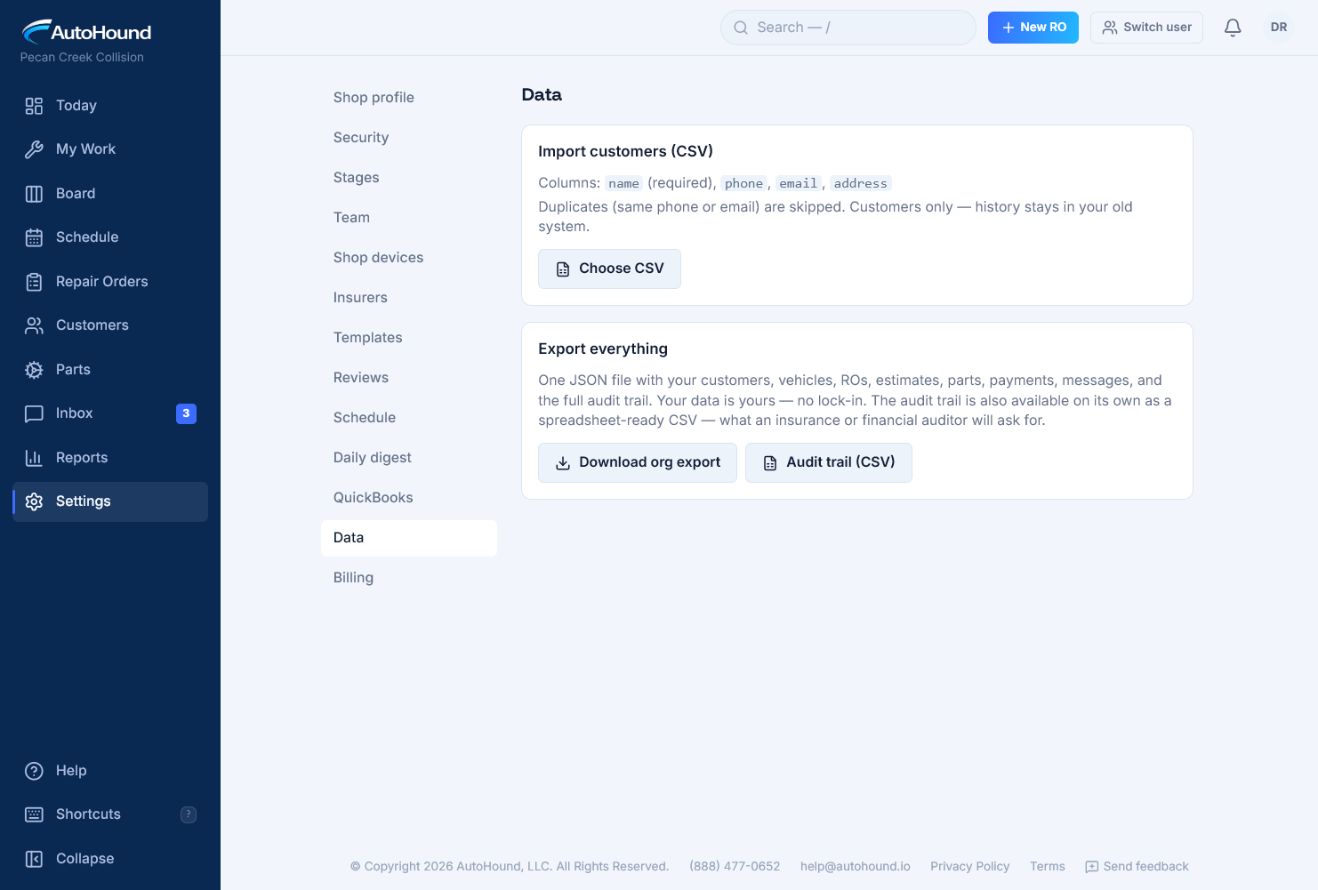
Download the shop’s records and audit trail whenever you need them.
From the shop floor
Built around the way body shops actually work.
AutoHound gives our team a clear view of every repair and what needs attention next. We spend less time chasing updates, communication is easier, and everyone stays on the same page. It’s intuitive, practical, and feels like it was designed by people who understand how a collision shop operates.
Live product walkthrough
Bring one repair order.
We’ll trace the blocker, owner, next move, and closeout in AutoHound.
Request a live walkthrough