
Use one card per open repair order. Give each card a current stage, a promised date, an owner, and a next action. Record a hold on the card where work stopped. Give the person following up a deadline so the shop can decide whether the promise still holds.
Start with an editable production board
Download the auto body shop production board template (Excel). The first sheet contains three fictional repairs. Replace them with your own or add rows to the table. The second sheet gives each stage a handoff rule you can edit with your team.
Pick one person to move the current open jobs onto the board. Have the floor confirm the actual stage of each repair, then have the front office confirm promised dates. If a date is still undecided, leave it open. A guess on the board can become a promise at the counter.
Choose stages the floor can recognize
Start with a short sequence your team already uses. For example: Check-in, Blueprint, Body, Paint, Reassembly, QC, Ready. Choose a separate stage when a different person takes over or there is a clear handoff to record. A shop that sends all its paint work off-site might use a named sublet stage instead.
Give each move a trigger. A blueprint can go to Body when the plan is released for that work. Reassembly can go to QC when the assigned work is complete and the required records are available for inspection. The shop sets its own release criteria. If a technician is waiting for a bracket during Body, keep the job in Body and put the bracket on the card as the blocker.
Run three jobs through the board
Use these fictional Monday morning repairs to test the layout. The same jobs are in the download. A person reading the board should be able to tell who acts next without asking the technician to explain the card.
| Repair and stage | What is holding it up? | Next move |
|---|---|---|
| RO 2401 · Blueprint | The insurer has the supplement. The file still needs an answer. | Rosa, the advisor, checks for written approval Monday at 10 a.m. |
| RO 2402 · Body | A replacement bracket is backordered. Friday is the promised date. | Devin in parts calls the supplier for a confirmed arrival Monday at 11 a.m. |
| RO 2403 · QC | The assigned repairs are complete. Final inspection is due before pickup. | Lee, the QC lead, records the inspection result Monday at 1 p.m. |
Now change one fact. The bracket will arrive Friday afternoon. Devin records the new ETA. The production lead checks the remaining work, and the advisor owns the customer call if the promise needs to change. Moving the card to Paint would hide the problem.
Test the board from both ends of the shop
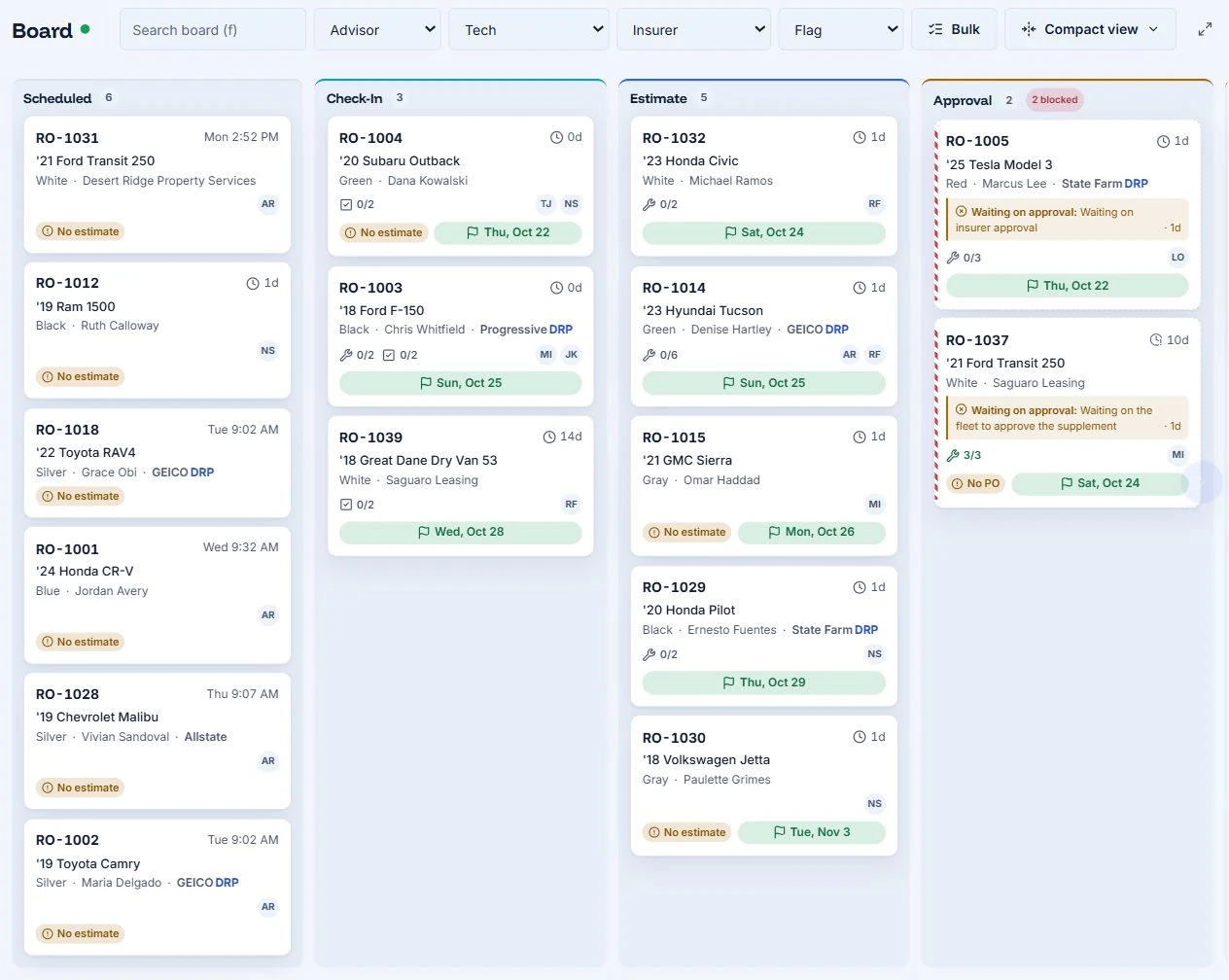
Open a sample job on the AutoHound production board. Change its assignment, then look for it in the technician’s My Work queue. Move the card and check the wall display. Ask someone standing where the huddle happens to read the promised date and identify the blocker. Those tests tell you more than counting the software’s available columns.
For the first week, check a few cards against the work actually on the floor before each morning production meeting. If the two disagree, find the handoff nobody owns and give it to someone. Once the team trusts the digital board, retire the duplicate whiteboard.